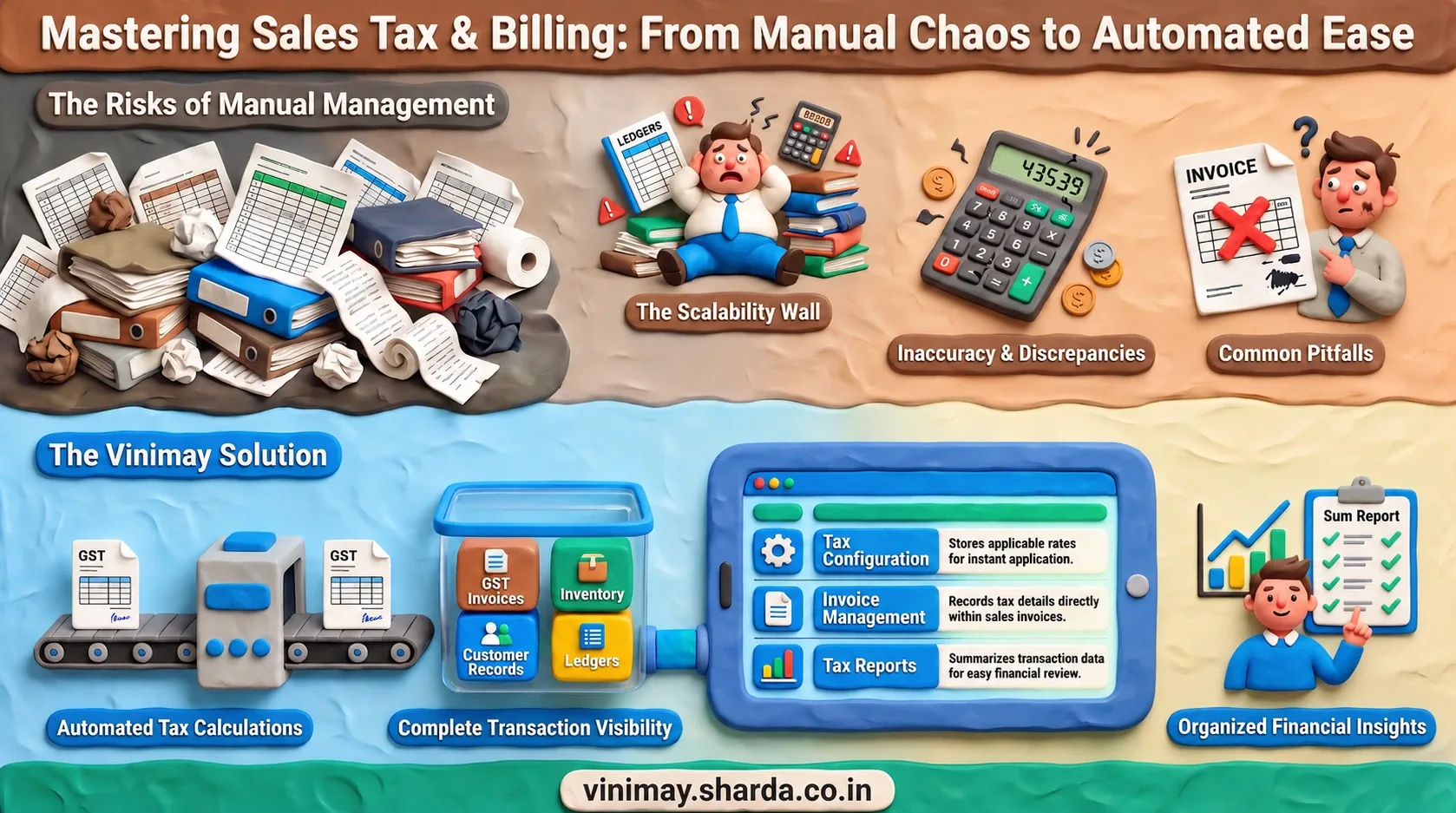
Managing sales tax can become more challenging as businesses grow and handle more transactions, since each sale may require accurate tax calculations, proper invoicing, and organised transaction records. Manual calculations and spreadsheets can become difficult to maintain consistently as sales volume increases. Accounting software helps businesses organise invoices, sales, purchases, customer and vendor information, inventory, payments, ledgers, and reports in a structured system, although the level of tax support depends on the software and applicable tax requirements. Vinimay helps businesses manage GST invoices, billing records, sales, purchases, customer and vendor details, inventory, payments, ledgers, and reports in one organised system, making daily billing activities easier to manage and providing better visibility into financial transactions.
How Does Accounting Software Handle Sales Tax?
The exact tax-related features available will vary by software and the tax requirements applicable to the business.
Can Accounting Software Automatically Calculate Sales Tax?
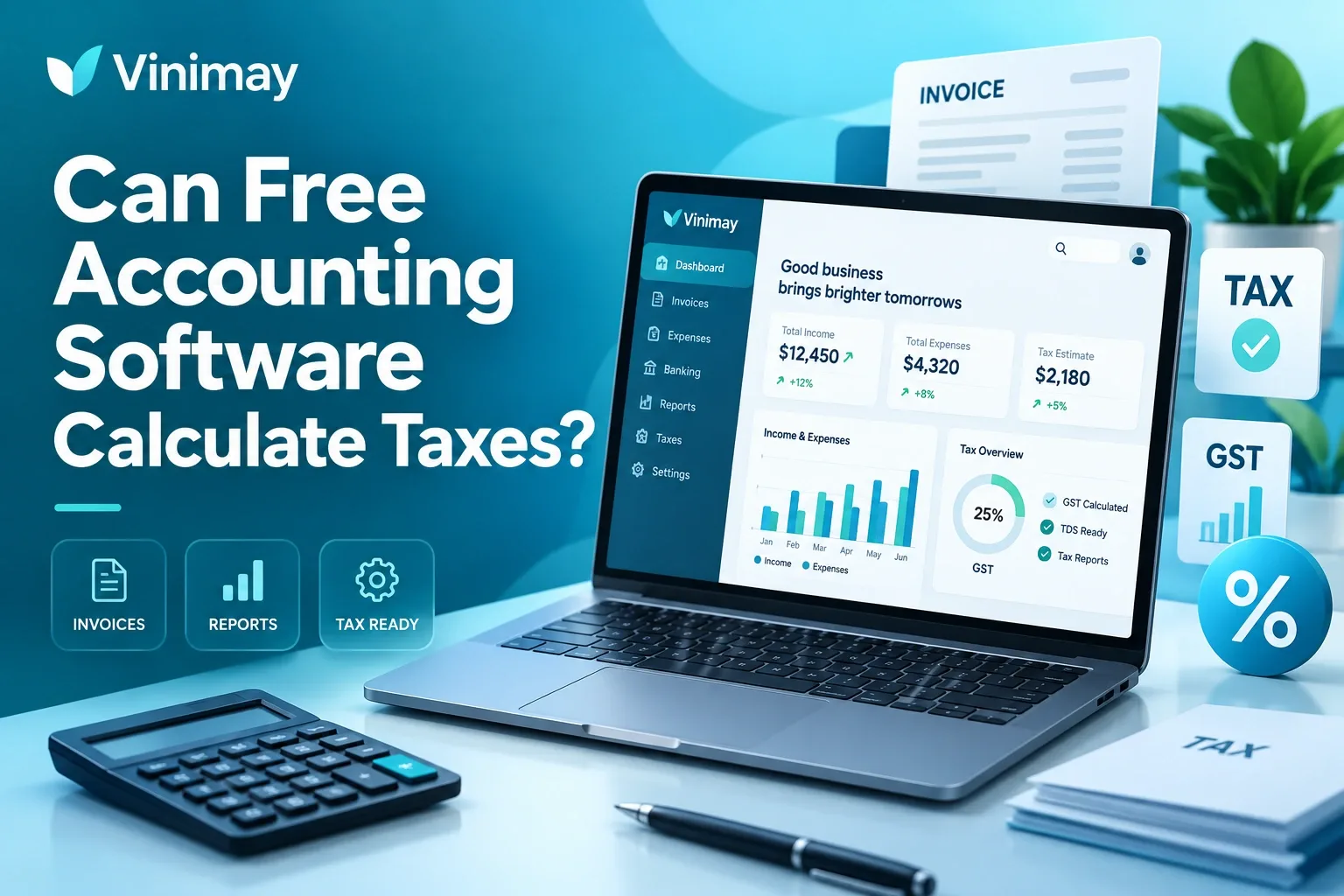
Many accounting systems can automate sales tax calculations by applying the tax rates configured for specific products or transactions. This reduces the need for businesses to calculate tax amounts manually for every invoice and can make routine billing faster and more consistent.
However, automation depends on accurate tax settings and transaction details. If a product is assigned the wrong tax rate or incorrect information is entered, the software may produce an incorrect calculation. Businesses should therefore review their tax setup regularly and verify records to ensure the automated calculations are based on accurate information.
Why Is Accurate Sales Tax Calculation Important?
Incorrect tax calculations can create discrepancies in invoices, customer billing, and financial records.
Applying the wrong tax amount may result in differences between the amount charged to customers and the tax records maintained by the business.
Accurate sales records help businesses keep invoices organised and easier to review.
Proper records make it easier to track transaction history and understand overall sales activity.
Consistent tax records support better financial management and reduce the risk of avoidable record-keeping errors.
Tax accuracy is not only about calculating the correct amount; it also involves maintaining complete, consistent, and reliable transaction information.
What Other Records Should Businesses Maintain Along With Sales Tax?
Sales tax management is connected with other parts of accounting. Businesses also need proper records of purchases, expenses, customers, payments, and overall sales activity.
For example, a business selling products needs to understand not only the tax collected on sales but also how sales transactions affect inventory and revenue records. A complete accounting system helps connect these activities instead of keeping them separate.
What Should Businesses Check in Accounting Software?
Before selecting accounting software, businesses should look beyond only tax calculation features.
Important areas to review include:
The right software should support both tax-related needs and overall business accounting requirements.
Can Small Businesses Manage Sales Tax With Accounting Software?
Small businesses may begin with manual billing, spreadsheets, or basic invoicing methods, but maintaining accurate tax records can become increasingly difficult as transaction volumes grow. Accounting software helps organise invoices, sales records, payments, purchases, customer details, and transaction history in a structured system, making it easier to maintain consistent records and review business activity. It can also reduce repetitive manual work, improve access to transaction information, and make it easier to prepare reports when required. For growing businesses, the benefit goes beyond tax calculation by providing better visibility into sales activity, expenses, outstanding payments, and overall financial records. A well-organised accounting system can therefore support smoother daily operations while helping businesses maintain reliable financial information as their requirements increase.
Managing Billing and Tax Records With Vinimay
Complete transaction management: Businesses can manage billing and financial records beyond basic tax calculations.
GST invoicing: Create and maintain GST invoices along with related sales information.
Sales and customer records: Keep sales transactions connected with customer details and payment information.
Purchase and vendor management: Maintain purchase records and organise supplier information in one system.
Inventory and stock tracking: Monitor products, stock levels, and inventory-related transactions.
Payment and receipt tracking: Record payments and receipts to maintain a clearer transaction history.
Ledger management: Track financial transactions and balances through organised ledger records.
Business reports: Use reports to review sales, purchases, payments, and other business activity.
Better daily organisation: Keeping related billing and accounting information together can reduce the need for separate records and make routine financial management easier.
Common Mistakes Businesses Make While Managing Sales Tax
Many businesses focus only on calculating tax but overlook proper record maintenance.
Common mistakes include:
Using incorrect tax rates
Not updating invoice information properly
Maintaining incomplete sales records
Depending only on manual calculations
A proper accounting process requires accurate inputs, organised records, and regular review.
Conclusion
Accounting software can help businesses manage sales tax by organising invoices, applying tax information, and maintaining transaction records. However, tax management requires more than just calculation — businesses also need accurate sales records, proper billing practices, and organised financial information. Choosing the right accounting software depends on business requirements, tax needs, and the level of record management required as the business grows.
Frequently Asked Questions
1. Does accounting software support sales tax?
Many accounting systems support sales tax-related features, but the available functionality depends on the software and applicable tax requirements.
2. Can accounting software calculate sales tax automatically?
Accounting software can help calculate tax based on configured rates, but businesses must ensure correct tax information is entered.
3. Is sales tax support available in all accounting software?
No. Tax features vary between accounting systems, so businesses should check before selecting software.
4. Why is sales tax calculation important?
Accurate sales tax calculation helps businesses maintain correct invoices and reliable transaction records.
5. Can small businesses use accounting software for tax management?
Yes, accounting software can help small businesses organise sales records and manage tax-related information.
6. Does accounting software replace tax professionals?
No. Software helps manage records and calculations, but businesses may need professional advice for tax decisions.
7. What features should I check in tax accounting software?
Businesses should check tax support, billing features, reports, and transaction management capabilities.
8. Can accounting software maintain sales tax records?
Accounting software can help businesses maintain organised sales and transaction records depending on available features.
Related Topics
Published by admin
Our editorial and compliance specialists create practical guides, tax calculation rules, and operational strategies to empower Indian small business owners and accountants.